

- By Wrenlocal
- Google Maps Rankings
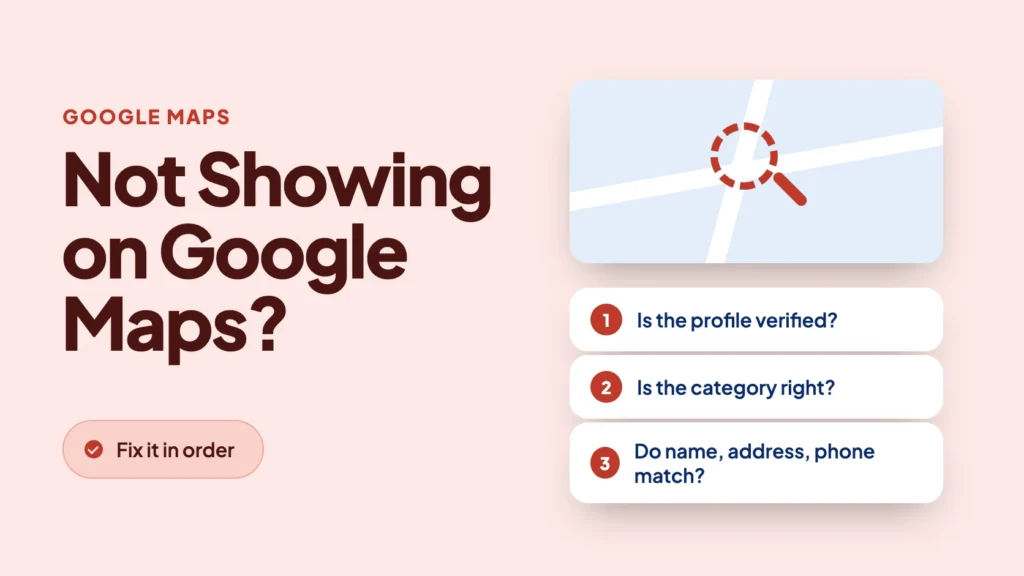
Quick answer: Google hides a profile that is unverified, suspended, marked as a duplicate, or still processing an edit. If you do show up when someone searches your exact name but not on a service search like “roof repair” plus your city, nothing is broken. You are ranking too low: distance, category, reviews, or a filter. Check them in the order below.
“Not showing up” covers two very different problems, and the fixes do not overlap. Group A is Google is not showing you at all. Group B is Google shows you, but not high enough, or not for the search you care about. This guide gives you a 2-minute test for each cause, then what to do about it. A few causes, like being far from the searcher, cannot be fixed. We say so where it applies.
- The 2-minute test: which group are you in?
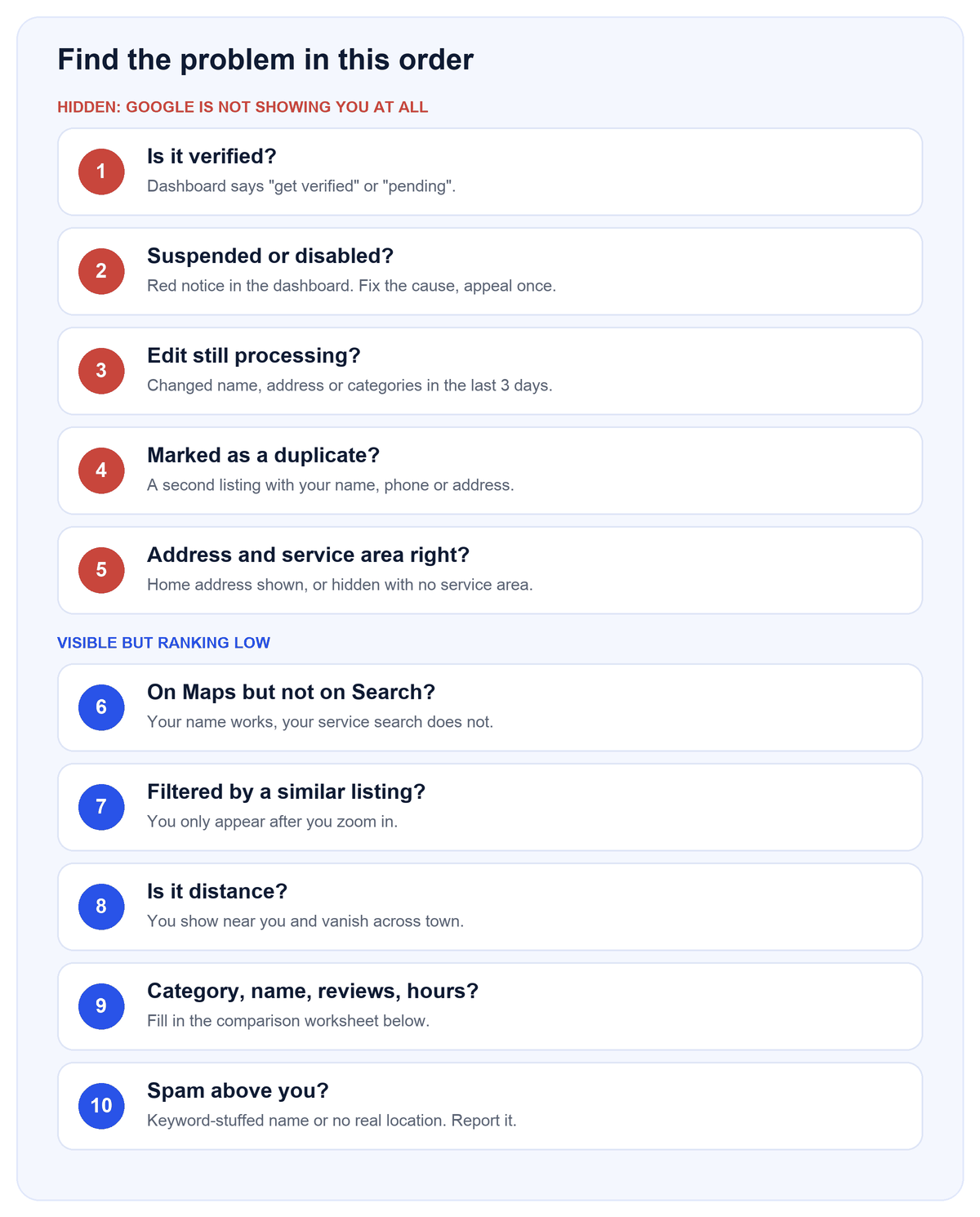
- The diagnostic order at a glance
- Check 1: Is the profile verified?
- Check 2: Is it suspended or disabled?
- Check 3: Did you edit it in the last few days?
- Check 4: Is it a duplicate?
- Check 5: Address and service-area setup
- Check 6: On Maps but not on Search (or the reverse)
- Check 7: Filtered by a similar listing
- Check 8: Distance
- Check 9: Category, name, reviews, hours
- Check 10: Spam competitors
- When there is no map pack at all
- Compare yourself with the top three
- If your profile is suspended: the appeal
- When you cannot fix it yourself
- Frequently asked questions
- Sources
The 2-minute test: which group are you in?
Google’s own help page says to find your business by searching its name and city, and that you must be signed in to the Google Account that manages the profile to see your own profile. That last detail matters: what you see when signed in is not always what a customer sees. So run both tests.
- Signed in: open your Business Profile dashboard. Look for a banner about verification, a suspension, or a duplicate.
- Signed out or in a private window: search your business name and city on Google, then on Google Maps. This is closer to what a customer sees.
- Service search: search the thing you sell plus your city, for example “fence installation” and your town. Open the expanded map list, not just the three results.
The diagnostic order at a glance
We put the cheap, fast checks first. A verification problem takes a minute to spot. A distance problem takes a ranking map. Do not spend a month on reviews if the profile is suspended.
| # | Check | 2-minute test | If yes |
|---|---|---|---|
| 1 | Not verified | Dashboard shows “get verified” or “pending” | Finish verification |
| 2 | Suspended or disabled | Red notice in dashboard | Fix the cause, appeal once |
| 3 | Edit still processing | Changed name, address or categories in the last 3 days | Wait, do not keep editing |
| 4 | Marked as duplicate | Second listing with your name, phone or address | Keep the verified one, report or remove the other |
| 5 | Address or service-area setup | Address hidden, or no service areas set | Show a real address and set your service areas |
| 6 | Maps vs Search mismatch | Name search works, service search does not | Go to Checks 7 to 10 |
| 7 | Filtered | You appear only after zooming in | Strengthen for that keyword, wait |
| 8 | Distance | Appear near you, vanish across town | Win the areas around you |
| 9 | Category, name, reviews, hours | Fill in the comparison table below | Fix the row where you trail all three |
| 10 | Spam above you | A top result with a keyword-stuffed name or no real location | Report it |
Check 1: Is the profile verified?
The rule. Google says “Only verified businesses can show their business info on Maps and Search.”
2-minute test. Open the dashboard. If it says the profile is not verified or the verification is pending, this is your answer.
What to do. Finish verification with the option Google offers you. Google says verification reviews take up to 5 business days, with rare exceptions, and that most postcard codes arrive within 14 days. Postcard codes expire after 30 days, and requesting a new code invalidates the one already mailed, so do not click “resend” while a card is in the mail. Live video calls are only available during the business hours of your location.
Check 2: Is it suspended or disabled?
The rule. Google says a profile that breaks its guidelines can be “disabled or suspended” and will not show to other users until you resolve the issue. It notifies the Google Account that manages the profile.
2-minute test. Look for a notice at the top of the dashboard, and check the email on the managing account, including spam.
What to do. Read the stated reason and fix that thing first: the business name, the address, a virtual office, or a duplicate are the usual ones. Then follow the appeal steps further down. Do not create a new profile for the same business.
Check 3: Did you edit it in the last few days?
The rule. Google says changes can take up to 3 days to appear and that rankings for new businesses can take up to a month to appear in search results.
2-minute test. Think back: did you change the name, address, hours, service area or categories this week, or was the profile created this month?
What to do. Wait. Repeated edits to “force” a refresh make it harder to tell what changed. A forum case on Local Search Forum (July 2022) showed the other side: the owner had already changed a business name several times, and the public name on Maps still did not match the dashboard. A member there explained that this can happen on profiles that Google originally generated and the owner later claimed. If something is still wrong after the waiting period, contact Google Business Profile support.
Check 4: Is it a duplicate?
The rule. Google’s guidelines say there should be one profile per business. Its page on duplicates says “If a profile is considered a duplicate, it won’t show on Google Search or Maps.” If you made the extra profile by mistake, Google says you can remove it without affecting the verified listing. Removing a profile also removes its content and linked managers, so be sure you are removing the right one. To merge duplicates that appear on Maps, you can report a suggestion in Google Maps; merge requests are reviewed.
2-minute test. Search your phone number and your street address on Google Maps. Do two listings come up? Contractors often have one: an old listing from a previous owner or address, a listing Google made on its own, or one an employee or an old agency created.
What to do.
- Decide which one is verified and holds your reviews. Keep that one.
- Report the other as a duplicate in Maps, or remove it from your account if you own it.
- If two real, separate businesses were wrongly merged, Google says you can contact support to appeal, and you may need to show permanent signage for each.
Check 5: Address and service-area setup
This is the cause behind many contractor complaints, and the most misread one. Google’s rules are specific.
- Real address only. P.O. boxes and mailboxes at remote locations are not acceptable, and a virtual office you do not operate from is not eligible.
- Show your real address. We do not recommend hiding it, even if you travel to your customers. Google’s guidance says service-area businesses without a storefront should remove the address, and you are able to. In our experience, hidden-address profiles get far fewer calls and visits than ones that show it. The address must be a real place you operate from. A hybrid business can show its address and also set service areas, though Google says without permanent on-site signage it is not eligible as a storefront and should be listed as a service-area business.
- Service areas. You can list up to 20, they cannot be a radius around your business, and they should stay within about 2 hours of driving time from where you are based.
- Name. It should match your real-world name. Slogans, hours, phone numbers, URLs, and product, service or location details do not belong in it.
Why it hides you. Two real examples from Local Search Forum. In a 2019 thread, a five-year-old service-area business with good reviews asked why it had no map pin; a forum administrator replied that service-area businesses generally do not get pins unless they show an address. In a 2015 thread, a lawn care company in a smaller town did not appear at all for the larger city next door, and replies pointed out that ranking in a city where you have no address is hard, and that Google Ads is the realistic route there. Whitespark’s 2026 expert survey also lists “address is showing on GBP (not SAB)” among the top local pack factors, and lists showing an address when you are a service-area business as a suspension risk. That is why we show the address and keep it accurate: it matches what we see in the profiles we manage, and a real address you operate from is the safe way to do it.
Sterling Sky ran a test on one home-services client where hiding the address was followed by lower rankings and fewer calls, and rankings recovered when the address came back. It is one client with no stated controls, so it is a data point, not proof. It matches what we see across dozens of profiles we manage: hidden-address profiles get far fewer calls.
What to do. Show your real address and list the cities you serve. Hiding the address is the one setup we advise against, even if you work from a home or van. If privacy is a concern that is your call, but expect a hidden-address profile to be harder to turn into jobs and to rank best near where you are based. Not sure where yours stands? Our Google Business Profile management includes this setup review.
Check 6: On Maps but not on Search (or the reverse)
People report three versions of this, and they have different causes.
- You appear when you search your name but not the service. That is a ranking problem, not a visibility problem. Brand searches are easy; everything from Check 7 down applies. A Local Search Forum thread (June 2022) describes an 11-year-old service-area laser cutting business that showed near the top for “laser cutting service” but not for the shorter “laser cutter,” and replies said “keyword + city” is easier to rank for than the bare keyword, and that the business name and website content mattered.
- You are in Search but there is no pin on the map. That is normal for a hidden-address service-area business (see Check 5). A 2021 forum thread also described a hidden-address profile showing a directions icon that led to the wrong place; a forum administrator said service-area businesses without an address should not show directions icons and recommended contacting Google support.
- You see yourself, customers do not. Results change with who is searching and where. Test signed out, on a phone, from another location, or ask someone across town to search and send a screenshot.
Check 7: Filtered by a similar listing
Sterling Sky describes a Google local filter that suppresses listings that look similar, such as listings sharing an address, similar names or URLs, or sitting very close together. A filtered listing is not penalized; it is hidden behind another one for that search. The article is from 2020 and the filter is described per keyword, so what you see can differ from search to search.
2-minute test. Search the keyword, open the expanded list, then zoom the map in a little. If your listing appears only after you zoom, a filter is likely.
What to do. The listing with the most relevance and authority for that keyword generally wins. Practitioners also report that moving the pin or simply waiting changed things in some cases, but Sterling Sky notes the pin trick can be reversed by Google and that algorithm updates can change what gets filtered. We cannot promise a timeline.
Check 8: Distance
The rule. Google says local results are mainly based on relevance, distance and prominence, and that distance means how far each business is from the person searching. Whitespark’s 2026 survey (published November 6, 2025) ranks proximity of the address to the point of search second among local pack factors.
2-minute test. Search the same phrase from your shop, then from a spot a few miles away. If you are in the pack at home and gone across town, this is distance. A ranking map shows it clearly: see how to read a Google Maps ranking map, or request a free ranking report to get yours.
What to do. You cannot move your address. You can win the area around you, and for outlying towns you can use pages and ads rather than expecting the map to carry you. Sterling Sky also describes a tendency, from observation rather than a dataset, for the pack to show a tight cluster of businesses, so a good profile outside the cluster can still miss. For paid options, see local SEO vs Google Ads for contractors.
Check 9: Category, name, reviews, hours
Whitespark’s 2026 survey (expert opinion, not Google’s list) puts these near the top for the local pack, in this order: primary category, proximity, keywords in the profile title, a physical address in the city searched, being open at the time of search, a high rating, an address showing on the profile, additional categories, number of Google reviews, and correct map pin placement. Review recency and a steady flow of reviews over time follow.
- Primary category. Google says to choose categories as specific as possible but representative of your main business, and to use as few as possible. A roofer listed as a general contractor loses to a competitor listed as a roofing contractor.
- Name. Keywords in the title rank well in the survey, but adding them to your real name breaks Google’s guidelines and risks suspension. Do not do it.
- Reviews. Rating, count and recency. Google lists replying to reviews among its tips.
- Hours. Being open when someone searches counts in the survey. Set regular and special hours, and keep them true.
- Pin. A pin in the wrong spot changes your distance to every searcher.
The full setup is in the Google Business Profile checklist for contractors. Citations and consistent business details are part of our local citation services.
Check 10: Spam competitors
If a result above you has a name stuffed with keywords and a city, or no real location, it may not be playing by the rules. Google runs a form for reporting “misleading information or fraudulent activity” related to a business’s name, phone number or URL. It does not accept other kinds of complaints. Open the competitor’s listing, note exactly what is false, and report only that. Do not copy the tactic: stuffing your own name is the fast route to a suspension.
When there is no map pack at all
Sometimes the problem is not you. A Local Search Forum thread (August 2024) described a business tracking 15 keywords where the top-volume phrase showed no map pack at all, even though a rank tracker said they were number one. A moderator explained it usually comes down to what Google thinks the intent of the query is. If a phrase does not look local to Google, the pack may not appear, and you can check this by searching it yourself from your area. If it is a phrase customers actually use, add the city and rank for that.
Compare yourself with the top three
Search your main service and city, note the three businesses above you, and fill in this table for each.
The boxes are blank on purpose: this is a worksheet. Fill in one column per business as you check it. The first row shows how.
| Item | You | #1 | #2 | #3 |
|---|---|---|---|---|
| Primary category | Example: Roofing contractor | |||
| Additional categories | ||||
| Rating and number of reviews | ||||
| Reviews in the last 90 days | ||||
| Photo count and recency | ||||
| Business name (keywords?) | ||||
| Distance to the searcher | ||||
| Address type (storefront or service area) | ||||
| Website page for this service and city | ||||
| Hours and open now | ||||
| Replies to reviews |
Look for the row where you are clearly behind all three. That is usually the fix to start with. If you match or beat them on everything except distance, distance is probably your answer.
If your profile is suspended: the appeal
- Read the reason in your dashboard and fix what it names.
- Open Google’s appeals tool while signed in to the account linked to the profile, select the profile and decision, and add evidence plus a short explanation. Google lists business registration, a business license, tax certificates and utility bills as helpful evidence, and says the name and address on the documents must match the profile.
- Google says appeals can only be submitted once, so gather everything before you submit.
- Do not create a new profile for the same business. Google says this directly.
Google emails you the decision. It does not give a timeline, and neither can we.
When you cannot fix it yourself
If a competitor sits right where your customers search and has more reviews and a longer history, you will not outrank them there overnight. That is a long game, and Google says there is no way to request or pay for a better local ranking. The honest first step is a map of where you already rank and where you do not. You can request a free ranking report to get one.
If you would rather have it handled, Fully Managed Local SEO is $597 a month, month to month, with the website, business listings, Google Business Profile management, lead follow-up and review requests included. See what our service includes and the pricing. Results vary by industry, city, and local competition.
If your profile is stuck and you want it fixed rather than explained, our local SEO package starts with the checks in this post, and the contractor website design and business listings fix the website and listing problems that keep a business out of the top three. There are also pages for electricians, roofers and plumbers.
Frequently asked questions
Start with whether Google is hiding you or ranking you low. Hidden: unverified, suspended, a duplicate, or an edit still processing. Ranking low: distance, category, reviews, hours, or a filter. Checks 1 to 5 cover the first group.
Google says only verified businesses can show their info on Maps and Search, and a disabled or suspended profile will not show to other users until the issue is resolved. Check the dashboard banner first.
Most often it is unverified, suspended or marked as a duplicate. It can also be a view difference between your signed-in account and what a customer sees, so search again signed out. If the dashboard says verified and nothing is flagged, contact Business Profile support.
Google says verification reviews take up to 5 business days, edits can take up to 3 days to appear, and rankings for new businesses can take up to a month to show in search results.
Google says changes can take up to 3 days to appear. Avoid repeated edits while you wait.
Look for a suspension or duplicate notice in the dashboard, and review recent edits to your name, address, categories or service area. If it is suspended, fix the stated cause and use the appeal tool once. Do not create a second profile.
Brand searches are easy. Service searches depend on distance, category, reviews and competition. Go to Checks 7 to 10, and test with “service + city” instead of “near me.”
Reviews are one factor. They may be closer to the searcher, have a more specific primary category, be open at the time of search, or not be playing by the rules. See Check 10.
Yes. Show it if it is a real place you operate from, and set your service areas on top. We do not recommend hiding the address, even if you work from home: in our experience hidden-address profiles get far fewer calls. Google’s guidelines say a business without a storefront should remove its address, so Google can ask you to change it, and privacy is a fair reason to decide otherwise. It is your call.
No. Google says there is no way to request or pay for a better local ranking. You can pay for ads, which are a separate system.
When you want it handled for you, see our local SEO services or get in touch.
Sources
- Google: Tips to improve your local ranking
- Google: Find your business on Google
- Google: Verify your business
- Google: Guidelines for representing your business
- Google: Service areas
- Google: Profiles marked as duplicate
- Google: Suspensions and appeals
- Google: Business redressal complaint form
- Whitespark Local Search Ranking Factors 2026
- Sterling Sky: the Google local filter
- Sterling Sky: local pack clustering
- Sterling Sky: does hiding your address affect ranking
- Local Search Forum: service area business not showing on Google Maps (2019)
- Local Search Forum: business not showing up in maps (2015)
- Local Search Forum: no results for search terms that are part of the category (2022)
- Local Search Forum: hidden address on Maps but not local search (2021)
- Local Search Forum: Maps name does not match the profile (2022)
- Local Search Forum: why no map pack (2024)
Last reviewed October 13, 2026. Google changes the Business Profile interface and rules often.